This page shows all the reports associated with the user.
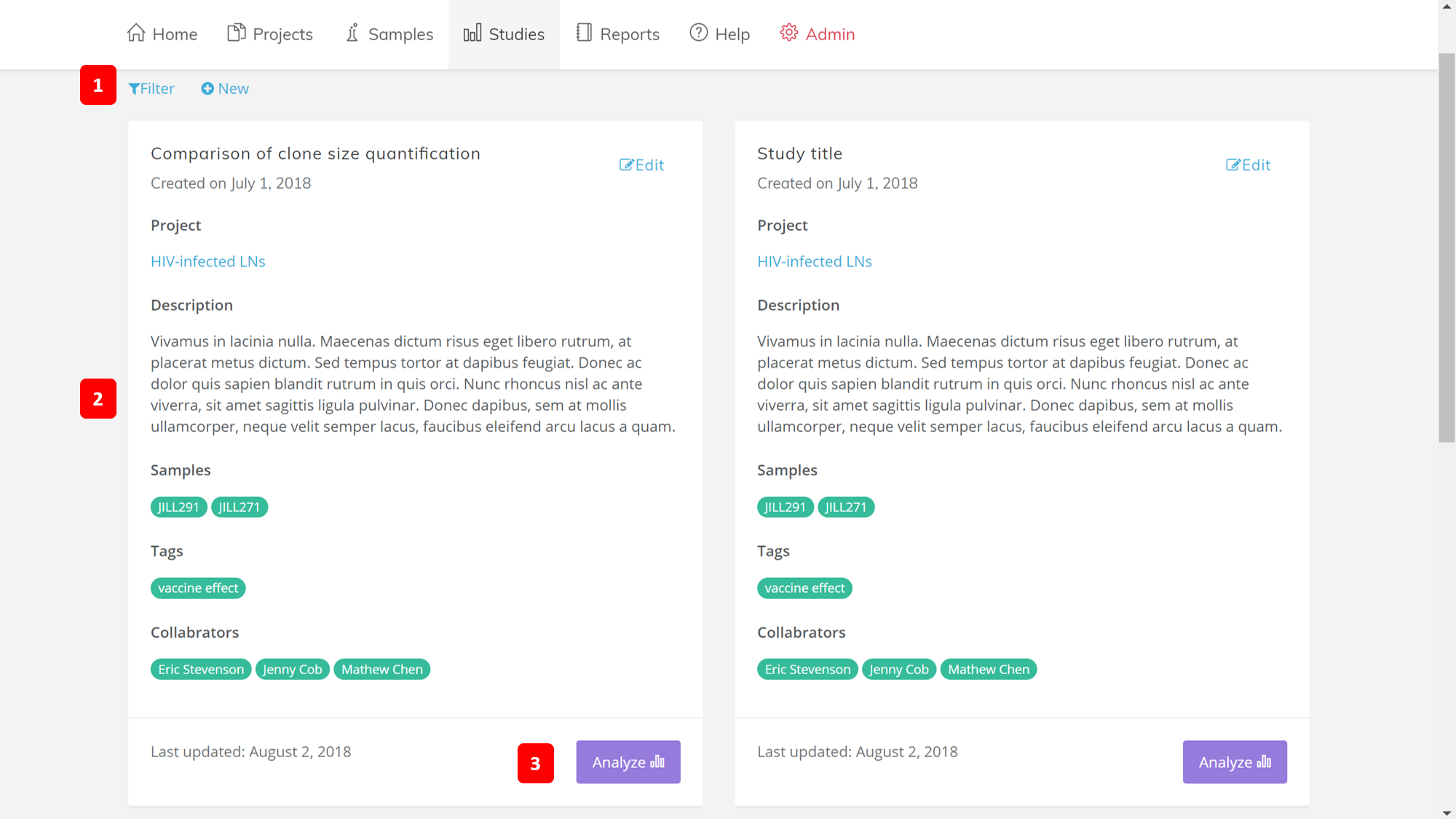
1. Filter and New
The Filter button allows you to select which reports you would like to view. The New button allows you to create a new report. A pop-up dialogue box will be shown for you to fill out detail information of your new report.
2. Main Content
The main content of the studies page consist of a list of all of your studies. Each study is shown with its name, the date when it was created, and what project the study is in. A short description of the study is located afterwards.
Underneath the description are three sections: Sample ID, Tags, and Collaborators. The sample ID can be the patient ID from where the samples in the come from. The Tags are additonal custom categories about the samples, e.g. the different timepoints in which samples are taken from the patients. The collaborators are the people hwo worked on the study
The date in which the project was last updated is shown at the bottom, along with the analyze button.
3. Analyze Button
The Analyze button is linked to the analysis modules page.